Your sky,
watched 24/7.
SkyWatch Station turns the security camera you already own into an AI sky-watching station. It catches planes, birds, insects and meteors on its own, day and night, and turns your best catches into YouTube Shorts with one click.
📷 Your camera sets the quality. The better your camera, the better your catches: a higher-resolution camera with good night vision gives sharper, more detailed captures, especially of meteors and distant planes.
Up and running in 3 easy steps
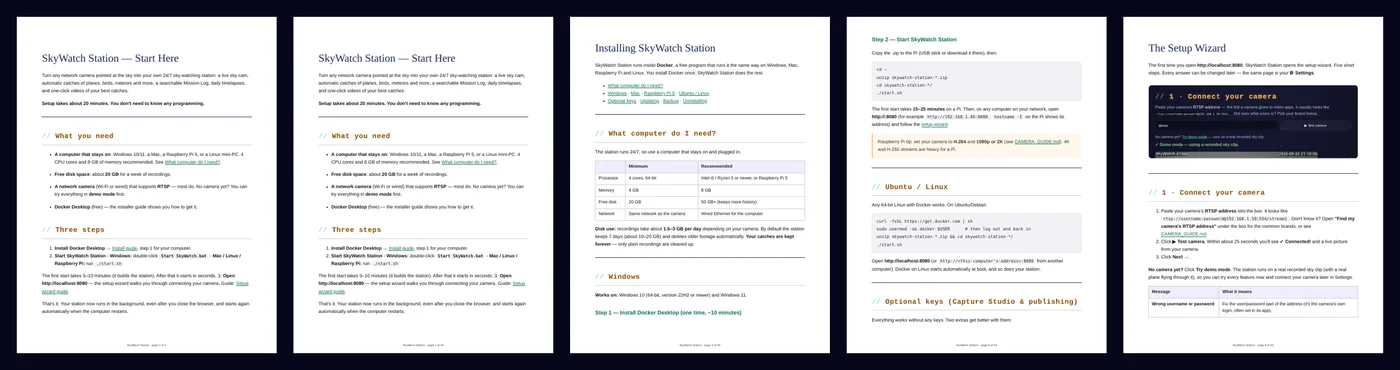
No programming. A browser wizard walks you through everything, and the 46-page manual has a screenshot for every step.
Install Docker Desktop
Free. The guide covers Windows, Mac, Raspberry Pi and Linux.
Double-click Start
Start SkyWatch.bat on Windows or start.sh on Mac, Linux and Pi. It builds itself the first time.
Follow the wizard
Connect your camera, box out the trees, set your location and name your station.
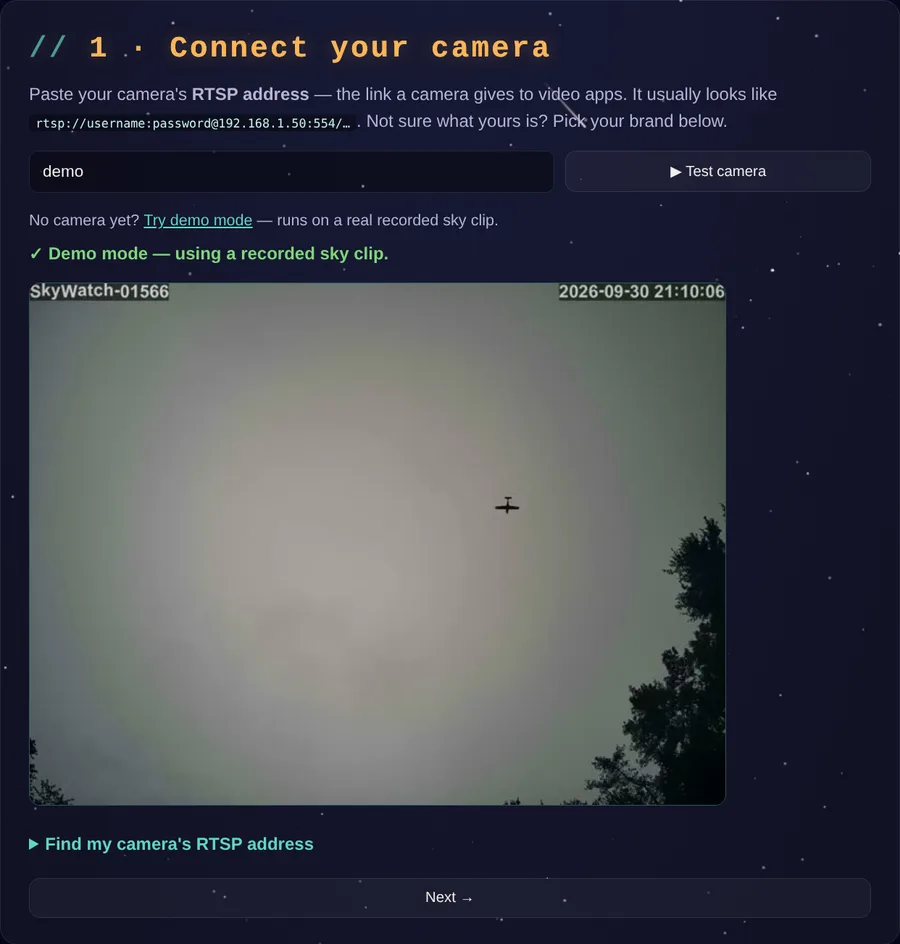
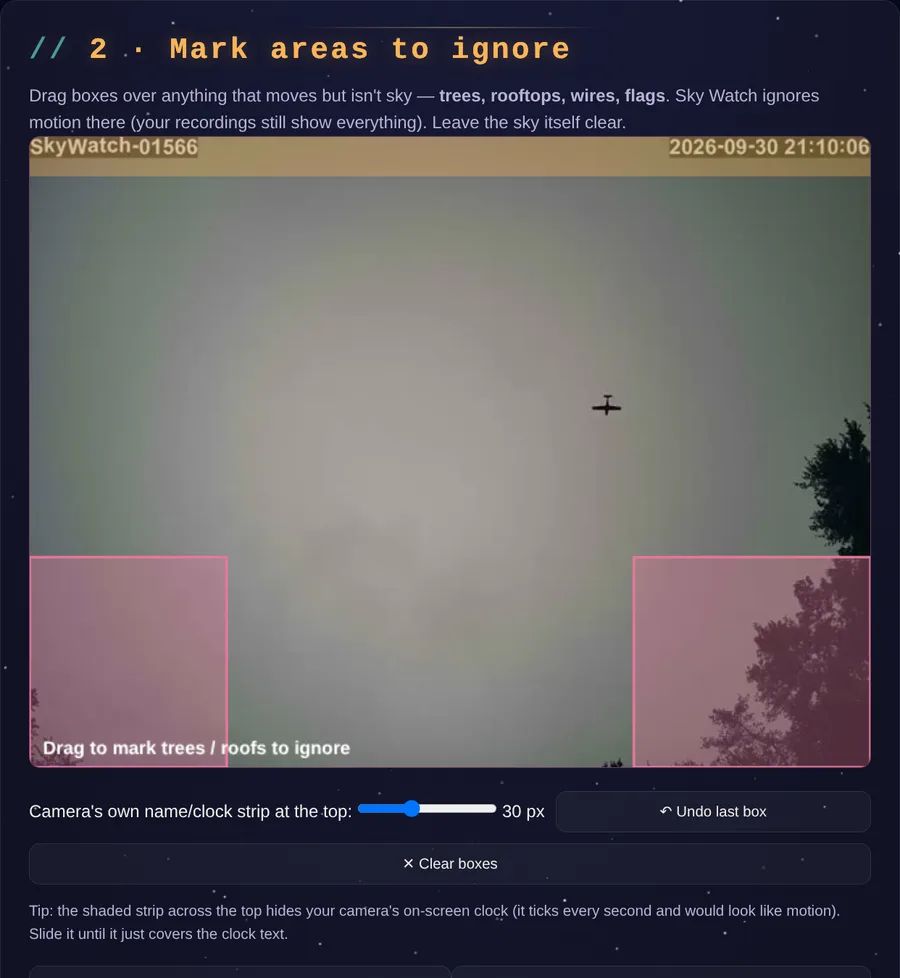
No camera yet? Demo mode runs on a real recorded sky clip, with a real plane in it, so you can try everything first.
It catches what flies by
It watches every second and saves only the moments that matter.
Names planes & birds
A built-in recognizer, running offline on your computer, labels what it sees.
Meteors, insects & more
Motion detection catches anything that crosses your sky, with a 3-second lead-in.
Ignores clouds & rain
Smart filters stop false alarms from clouds, rain, bug swarms and windy trees.
Every catch in full HD
Each catch is also saved at your camera's full resolution.
Daily timelapse
Your whole day of sky in about 2 minutes, every morning, with weather and Moon data.
Smarter AI IDs
HD close-ups and shape checks (rigid plane or flapping bird) for sharper labels.
New in 1.2: live, hunting and posting
Everything the original SkyWatch station does, now in yours.
YouTube Live sky cam
Run an always-on live sky cam on your channel, or schedule live events for meteor showers and eclipses that start and end by themselves.
Morning meteor scan
Every morning it checks every frame of last night's video for faint streaks the live detector missed. You confirm the real meteors.
Meteor recaps & slow motion
One click turns a night's meteors into a vertical Short with original music: zoomed, slowed down, then stacked on one sky.
Daily timelapse posting
Each morning's 24-hour timelapse can post itself, titled from that day's real sky, weather and Moon.
Approve before posting
Optional: get an email preview with Approve and Decline buttons, and nothing posts until you say so.
Camera auto-recovery
If your router gives the camera a new address, the station finds it on your network and reconnects by itself.
Coming up in your sky
Set your station up before the next big night. It records the whole night and finds the meteors for you in the morning.
Northern Taurids · Nov 11–12, 2026
Slow, bright fireballs.
Leonids · Nov 16–17, 2026
Fast meteors, best before dawn.
Geminids · Dec 13–14, 2026
The year's best shower, up to ~120/hour under dark skies.
Peak nights from the American Meteor Society 2026-2027 calendar (amsmeteors.org); rates are for dark skies. Updated October 17, 2026.
One click. One ready-to-post Short.
Tracking ring, slow-motion replay, 4× HD zoom, captions and music, made for you. Preview it, then post it to your YouTube channel, or download it for Instagram, TikTok and Facebook.
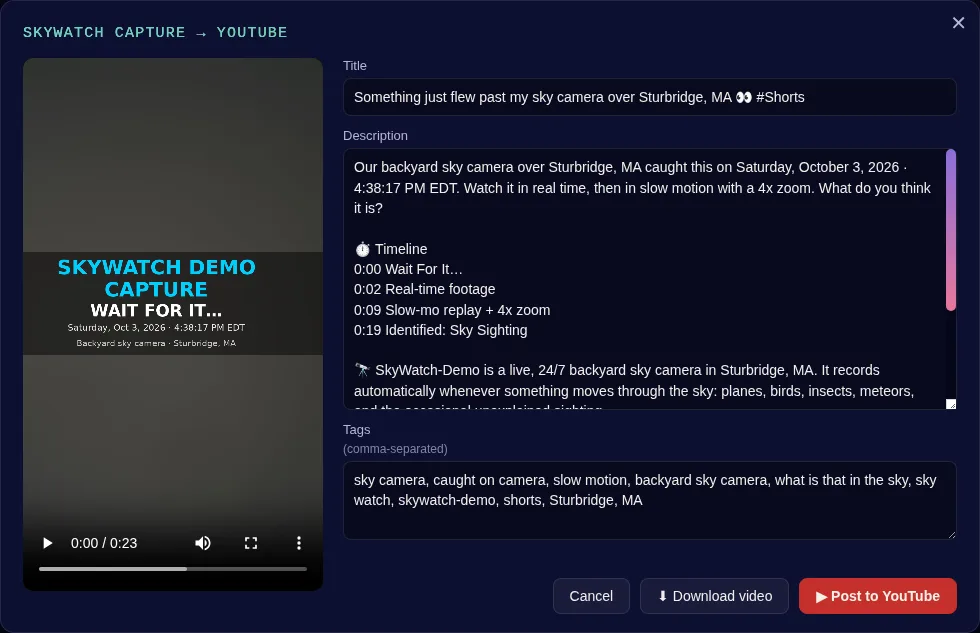
The Short shown here is real: SkyWatch Station made it from a real catch.
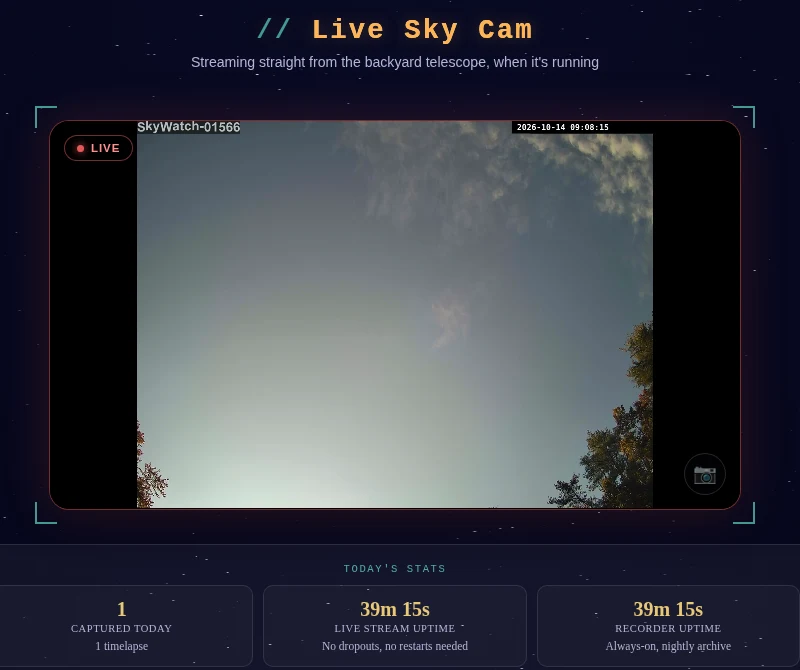
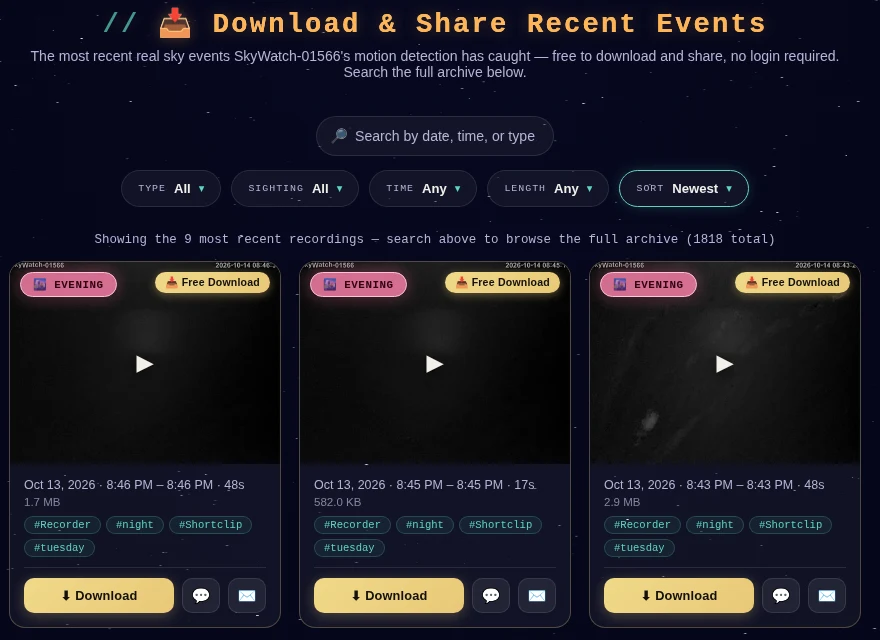
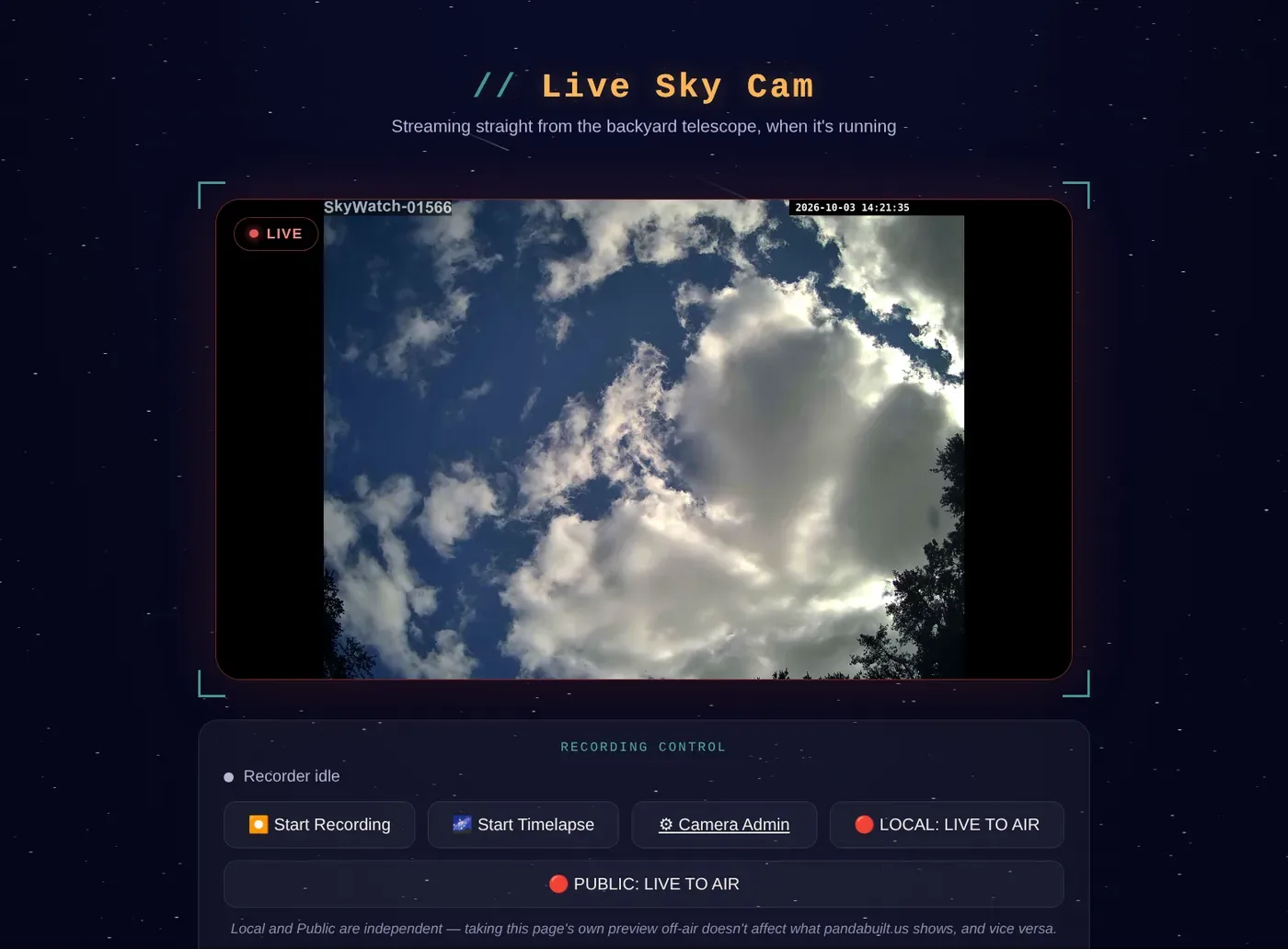
Your own public sky page
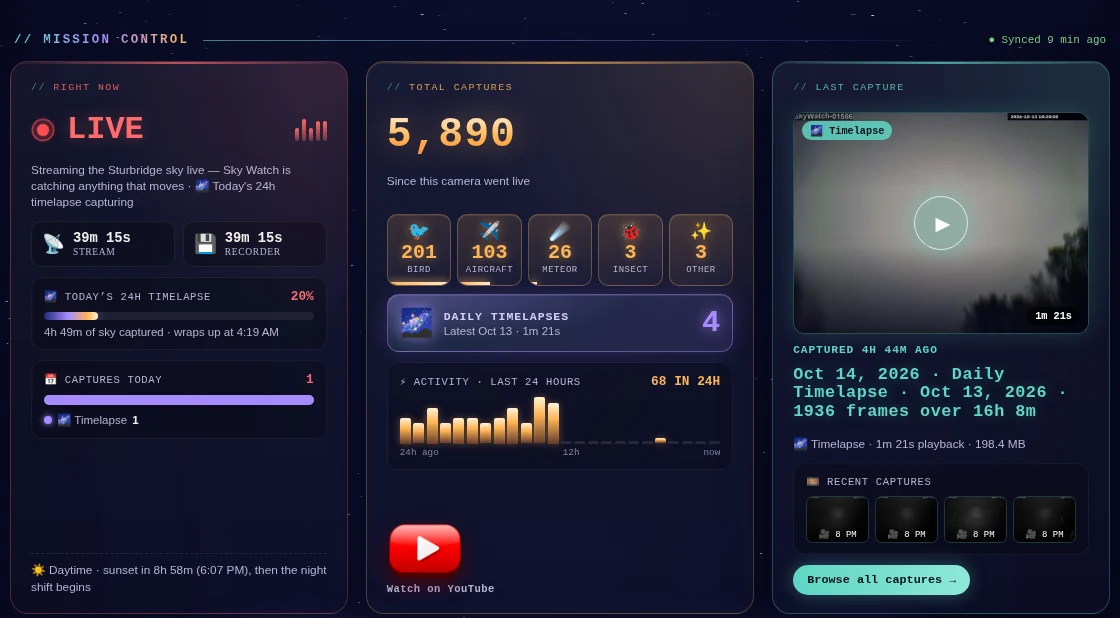
Example: our own station, SkyWatch-01566. Use it as your template: put in your station's name, location, colors and words, and it shows your camera, your catches and your downloads to the world.
Plus your private control room
The same control panel and Mission Log that run the original SkyWatch station, with your station's name, colors and logo. It stays on your home network; only the public page is shared.
Tuned on real sky footage
Every detection setting was measured on a week of real weather from our own backyard camera. The Tuning Guide shows the evidence.
What you need
This is a digital download. No camera or computer is included.
Works with
- A computer that stays on: Windows 10/11, Mac, Raspberry Pi 5 or Linux (4 cores, 8 GB memory, ~20 GB free disk)
- Any network camera with RTSP
- Optional: your YouTube channel, and an Anthropic (Claude) key for AI-written titles (built-in templates work without one)
Doesn't work with
- Ring, Blink and most Arlo cameras
- Battery-only and doorbell cameras
- Any camera without RTSP. Not sure? Email us the model before you buy.
What's in the download
The software
One-command install, setup wizard, control panel, Mission Log, Capture Video Studio and public page.
The manual
START-HERE guide plus a 46-page manual (PDF and web): install, camera guide, YouTube, public page, troubleshooting.
The Tuning Guide
Every setting explained with real measured results, plus a replay tester for your own footage.
SkyWatch Station at a glance
SkyWatch Station is AI sky camera software that turns a regular RTSP security camera into a 24/7 sky-watching station. It runs on your own Windows, Mac, Linux or Raspberry Pi 5 computer, records the sky around the clock, and automatically saves and labels what flies by: planes, birds, insects, meteors and anything it can't identify. It makes daily timelapses, finds faint meteors in last night's video, can stream your sky live on YouTube, and turns your best catches into YouTube Shorts with one click. It costs $49 once, with no subscription, and your video stays on your computer.
- Made for: backyard sky watchers, meteor and fireball hunters, plane spotters, bird watchers, UAP/UFO sky monitoring, and YouTube creators
- Cameras: Reolink, Amcrest, TP-Link Tapo, Hikvision/Annke, Dahua/Lorex, Wansview, UniFi and other RTSP cameras (not Ring, Blink or most Arlo)
- Runs on: Docker Desktop on Windows 10/11, macOS, Linux or Raspberry Pi 5 (4 cores, 8 GB memory)
- Made by: PandaBuilt.US, the team behind the live SkyWatch-01566 sky cam in Sturbridge, Massachusetts
Questions
What software can detect meteors with a security camera?
SkyWatch Station does. Point an RTSP security camera at the sky and it watches all night, saves anything that streaks across, and every morning re-checks the whole night for faint meteors the live detector missed. You confirm the real ones, and they go into your Mission Log and public meteor counter.
Can it catch UFOs or UAPs?
It records anything that moves across your sky, day and night, and labels the familiar things (planes, birds, insects, meteors). Anything it can't name is kept as an unidentified catch for you to review, with the full HD clip and the exact time.
Does it work with Reolink cameras?
Yes. Reolink cameras offer RTSP, and the original SkyWatch station runs on a Reolink camera. The Camera Guide shows the exact stream address for Reolink, Amcrest, Tapo, Hikvision, Dahua and more.
Does it run on a Raspberry Pi 5?
Yes. It runs in Docker on a Raspberry Pi 5 with 8 GB of memory, as well as on Windows, Mac and Linux computers.
Can it stream my sky live on YouTube?
Yes, new in 1.2. Turn on an always-on live sky cam, or schedule live events for meteor showers and eclipses. Viewers get a "Notify me" button and the station goes live and ends by itself.
Is there a monthly fee?
No. You pay once and run it on your own computer. Optional extras (an AI key for video titles, a domain name for a public page) are billed by those services, not by us.
Will it work with my camera?
If your camera offers an RTSP stream, yes. Most Wi-Fi and wired security cameras do. The included Camera Guide lists the address for each major brand. Not sure? Email us the model.
Does my video go to the cloud?
No. Everything runs and is stored on your computer. Nothing leaves your home unless you choose to post a video or turn on the public page.
Is it hard to install?
If you can install an app and copy a link, you can set it up. Docker Desktop does the technical work, and the wizard handles the rest. Plan on about 20 minutes, plus 5–10 minutes for the first start.
Can it post to YouTube by itself?
It can post to your channel from the app, after you preview each video. You connect your own channel once using a guide with screenshots. Google keeps new connections' uploads private until it approves them, and the guide explains this.
How many cameras?
One license is for one station (one camera). Running more stations? Email us.
Refunds?
Because it's an instant download, all sales are final. Please check "What you need" or email us before you buy, and we'll gladly help you check your camera.
Start watching your sky tonight
See a real station running right now at pandabuilt.us/skywatch.